Envelop — Tomato gets a message app
In fact, this is the moment that makes me happiest. When Tomato first came to mind, I set a few benchmarks — and today, I have built one fully: Envelop!
The goals were to connect to a screen and then text my phone. Two simple goals, finally achieved! I chose Envelop because Tomato as a narrative has always been a mid-modern, mid-antique device — and an envelope is what you put a message in, the old way of sending word across distance in pre-modern times. So it only made sense to call the messenger Envelop.
Now, Envelop does what you think it does: you send a message, and receive on a connected device — a phone for a start. I will add a quick custom iOS app just to keep this real and functional, with my own customization just for Tomato.
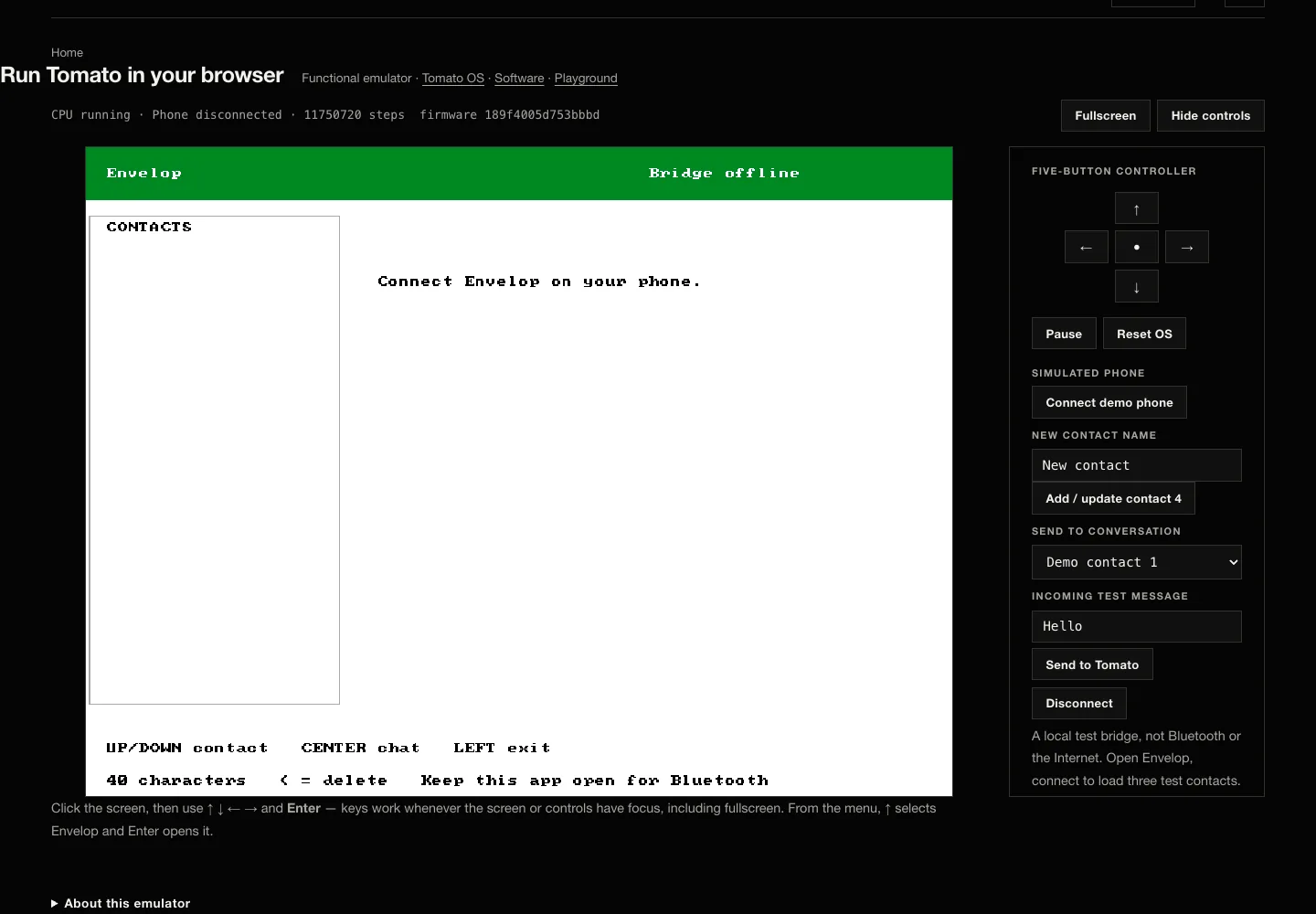
Browser emulation · current Tomato OS image with Envelop and simulated phone controls; the bridge is offline and this is not FPGA or live-message evidence.
I captured Envelop's first message: Hello, Hello Ghanafo! (people of Ghana!). For my final act of love, I built a computer from scratch just to tell you how much I miss us!